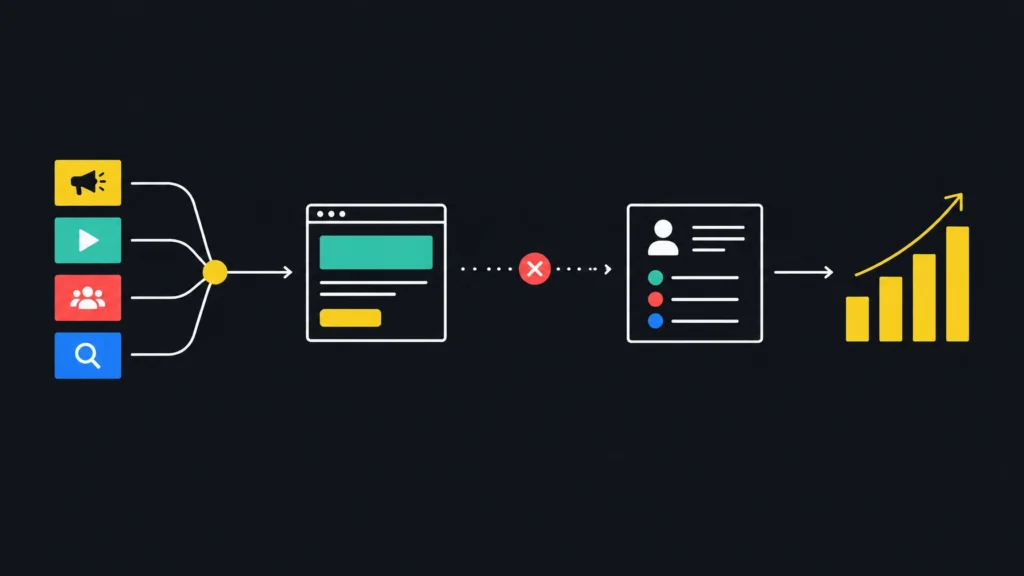
Wasted spend. Unqualified leads. Revenue you cannot trace.
If you run a small business in Berkshire or Buckinghamshire, marketing performance analytics should help you see what is working and what needs attention. But tracking can be misleading when the setup is incomplete or the reports stop at clicks.
Sound familiar?
01 You see traffic, but cannot say what it delivered.
02 Leads arrive, but you do not know which campaigns brought them in.
03 Marketing reports look positive while sales tell a different story.
Marketing performance analytics means measuring how marketing activity contributes to business results. Not just visits. Not just likes. Leads, sales and revenue.
Here are seven common mistakes, and practical ways to fix them.
01. YOU REPORT ACTIVITY INSTEAD OF COMMERCIAL RESULTS
Page views, impressions and clicks can be useful clues. They are not proof that marketing is generating revenue. A campaign might attract plenty of visitors but few genuine enquiries. Another might bring fewer people to your site, yet produce more valuable customers.
If you judge campaigns on activity alone, you risk putting more budget into the wrong places.
Fix it: Start with the business outcome you need. Choose a small set of measures that connect marketing to that outcome, such as cost per qualified lead, sales opportunities and revenue. Keep clicks and impressions as supporting measures, not the headline.
For a business in Reading, that might mean comparing enquiries that become booked jobs, rather than simply counting visits to a service page.
02. YOU COUNT BUTTON CLICKS AS LEADS
A click on “Submit” does not always mean a form was sent. The visitor may see an error, abandon the process or click more than once. If your analytics counts every button click as a conversion, your lead numbers may be inflated.
That can make a campaign seem profitable when it is not.
Fix it: Track a lead only after the form submission succeeds. Test the full journey yourself, including what happens when a required field is missing. If your tracking is managed through Google Tag Manager, check that the event fires once, after a successful submission.
Google’s recommended GA4 events include events for leads and later stages of the sales journey. Use the ones that reflect what actually happens in your business.
03. YOUR TAGS ARE MISSING, DUPLICATED OR UNTESTED
Google Tag Manager is a tool for managing tracking tags on your website. It can make changes easier to manage, but installing it does not guarantee that your data is correct.
A tag might fail to fire on one form, record the same lead twice or stop working after a website update. The result can be missed enquiries, inflated totals or both.

Fix it: Test each important action on your website. Check forms, phone links, booking journeys and thank you pages on both mobile and desktop. Confirm that each completed enquiry appears once in GA4, then check it against the form or enquiry system.
Repeat the test after significant website changes. A tracking setup is not a one time job.
04. YOUR CAMPAIGN LINKS USE INCONSISTENT UTMS
UTM tags are small labels added to a web address. They help analytics tools identify where a visit came from. For example, they can distinguish a newsletter click from a paid social advert.
But if one campaign uses “Facebook”, another uses “facebook” and a third has no source label, your reports can split the same activity across different rows. You may struggle to compare results or spot where budget is working.
Fix it: Agree one naming format and use it consistently. Keep labels simple and in lower case. Record the source, medium and campaign name for each link. Google’s campaign URL builder guidance explains how to use these labels.
Check that the tags remain on the link when someone lands on your website. If a redirect or form removes them, the source may not reach your report or CRM.
05. YOUR CRM CANNOT CONNECT LEADS TO SALES
A CRM is a system for storing customer and sales information. If the marketing source is not saved with each enquiry, your team may know how many leads arrived but not which campaign produced the customers.
That leaves a gap between marketing and sales. It can also make good campaigns look weak if their leads take time to close.

Fix it: Make sure each new enquiry carries useful details into your CRM, such as its campaign source, landing page and date. Agree with your sales team what makes a lead qualified, then record whether it progresses to an opportunity or sale.
Review the process together. If a campaign brings in enquiries that rarely fit your service or budget, that is useful evidence. It gives marketing a clear reason to refine targeting and gives sales a consistent way to report lead quality.
06. YOU MEASURE SEARCH WITH SESSIONS ALONE
Search behaviour is changing. Zero click searches and AI Overviews mean someone may find an answer or see a business in search without visiting its website. Impressions can stay steady while clicks fall.
For local firms, a map pack listing can also help people discover a business or take action without a website visit. That matters whether you serve customers in Slough, Windsor, High Wycombe or Aylesbury.

Fix it: Use more than one source. Google Search Console helps you review search impressions, clicks and click through rate. Google Business Profile provides information about interactions such as calls, directions and website clicks. See Google’s guides to the Search performance report and Business Profile performance.
Look at visibility and actions as well as website sessions. For example, check whether your business is appearing for relevant searches in Maidenhead or Marlow, then compare profile interactions with enquiries and sales. Google’s Generative AI performance report also provides a way to review visibility in AI features.
07. YOU NEVER CHECK WHETHER THE NUMBERS AGREE
GA4, ad platforms, forms and your CRM may show different totals. Some differences are expected because the tools count and report activity differently. But a large or sudden gap could point to a broken form, missing campaign labels or duplicate tracking.
If nobody checks, you may make decisions using numbers that do not reflect what your business received.
Fix it: Set a regular review. Compare marketing enquiries in GA4 with actual form submissions and CRM records. Investigate changes in missing campaign data, duplicate leads or unexplained drops. Use one clear reporting view that brings spend, qualified leads and sales outcomes together.
This is a practical part of GA4 implementation and marketing data support. Good reporting should help you decide what to do next, not leave you with more questions.
NO JARGON, JUST DECISIONS YOU CAN DEFEND
You do not need a complicated dashboard to understand whether marketing is helping your business grow. You need reliable tracking, clear definitions and a link between marketing activity and sales.
That is the point of marketing and sales alignment: agreeing what counts as a lead, sharing feedback on lead quality and following outcomes through to revenue. A marketing consultancy in Berkshire should be prepared to explain what is measured, why it matters and what action the evidence supports.
At HUDL, we do not just advise. We take ownership of the work and will not recommend a tracking change unless we believe it will help you make better commercial decisions. No jargon. Just a clear view of what is delivering.
WHAT TO FIX IN THE NEXT 30 DAYS
Days 1 to 7: Choose the business outcomes you need to track. Agree what counts as a qualified lead.
Days 8 to 14: Test your forms, key website actions and campaign links. Fix missing or duplicate tracking.
Days 15 to 21: Check that campaign source details reach your CRM and stay attached to the lead.
Days 22 to 30: Compare marketing activity with qualified leads, sales and revenue. Use what you learn to decide where to invest next.
If you need better visibility on your marketing performance analytics, BOOK A FREE CONSULTATION WITH HUDL. We work with small businesses across Berkshire and Buckinghamshire, including Reading, Slough, Bracknell and Aylesbury.